AI Image to Sound Generator: Turn Your Photos into Music
Melodify uses advanced artificial intelligence to analyze the visual elements of your photos—colors, composition, subject, and mood—to compose unique, royalty-free music that perfectly matches your image. Whether you're looking for a cinematic score, a lo-fi beat, or an energetic electronic track, our AI music generator transforms your visual memories into auditory experiences in seconds.
How AI Image to Sound Technology Works
The concept of translating visual information into audio, often called sonification, has been revolutionized by Generative AI. Melodify's AI Image to Sound engine employs a multi-modal neural network architecture that bridges the gap between computer vision and audio synthesis.
When you upload a photo, our system first uses a Visual Encoder (similar to CLIP) to semantically understand the content. It identifies objects (e.g., "sunset", "cityscape", "cat"), analyzes color palettes (e.g., "warm oranges", "cool blues"), and detects emotional cues (e.g., "melancholic", "energetic").
This visual data is then converted into a high-dimensional vector embedding, which serves as the "prompt" for our Audio Decoder. Currently powered by models like Stable Audio and MusicGen, this decoder predicts and generates audio waveforms that spectrally and rhythmically match the input embedding. The result is a high-fidelity musical track that is not just random, but perceptually aligned with the visual essence of your AI image to music request.
Step-by-Step: Converting Photos to Music
- Upload Your Image: Drag and drop any PNG, JPG, or WEBP file into the "Visual Inspiration" zone. High-contrast and thematically clear images often yield the most distinct musical results.
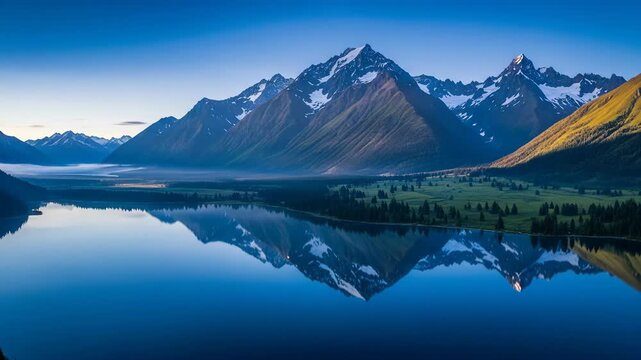
- AI Analysis: Click "AI Analyze" to let Melodify scan your image. The system will automatically suggest a Music Style (e.g., Cinematic for landscapes, Lo-Fi for cozy indoor shots) and generate a text prompt describing the mood.
- Customize Settings: You can override the AI's suggestions. Switch to "Custom" mode to manually select genres like Hip Hop, Electronic, or Ambient. You can also toggle "Instrumental Only" or add custom lyrics for a vocal track.
- Generate & Download: Hit "Generate Music". In about 30-60 seconds, your unique track will be ready. You can play it, download the MP3, or view it in your history to remix it later.
Creative Use Cases for AI Music
- Content Creation & Social MediaStop worrying about copyright strikes on YouTube, TikTok, or Instagram. Generate unique background music for your vlogs and reels that perfectly matches the video's thumbail or vibe.
- Immersive StorytellingAuthors and TTRPG masters can use AI image to sound to create theme songs for characters or ambient distinct locations just by uploading concept art.
- Digital Art ExhibitionsVisual artists can add a new dimension to their portfolios. Allow viewers to "hear" your paintings by providing a QR code that links to the AI-generated soundtrack of the artwork.
- Accessibility & EducationHelp visually impaired users experience images through audio descriptions (sonification) or teach students about the relationship between visual mood and musical theory.
Optimizing Your Results
To get the best results from the AI image to music generator, consider the "loudness" of your image. Busy, chaotic images with many colors often result in faster, more complex energetic tracks (like Jungle or Rock). Minimalist, monochromatic images tend to generate slower, sparser Ambient or Classical pieces.
If specific instruments are desired, try to include them in the text prompt (e.g., "A jazz track with prominent saxophone") even if the image doesn't show them. The AI weighs both visual and text inputs to craft the final composition.
Frequently Asked Questions
Is the generated music copyright-free?
Yes! All music generated by Melodify's AI Image to Sound tool is royalty-free. You own the copyright to your specific generation, allowing you to use it in commercial projects, YouTube videos, podcasts, and games without fear of DMCA strikes.
How does the AI analyze my image?
The AI looks at thousands of data points including color palette, lighting intensity, and object recognition to determine the 'mood' of the image, then maps these traits to musical parameters like tempo, key, and instrumentation.
Can I generate vocals with my music?
Absolutely. In the 'Custom' settings, you can switch to the 'Lyrics' tab and enter your own lyrics. The AI will attempt to sing them in a style matching the image's vibe. If you leave it blank but disable 'Instrumental Only', it endless generates gibberish-style vocals that sound like real singing.
What file formats are supported for upload?
We support PNG, JPEG, and WEBP image formats. For the best analysis, we recommend using high-resolution images under 10MB in size.
How long are the generated tracks?
Standard generations are typically 2-4 minutes long, depending on the selected model and complexity. Pro users can generate longer extended tracks or loopable assets.